




OnCube Management: All-in-one solution for dispensing, packaging and medication management
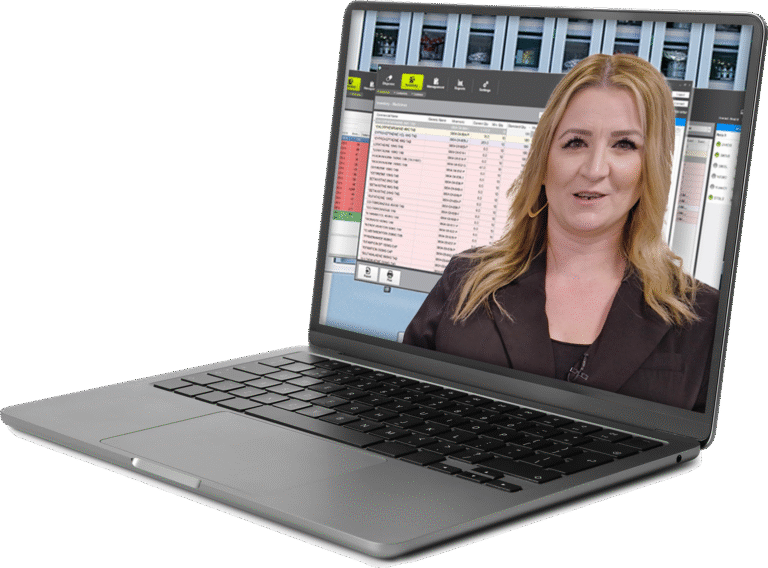
OnCube is the newest software that combines an efficient packaging procedure with maximum patient safety. This Windows© application allows the entire production process to be managed, operated and monitored, and offers extensive functionality for processing patient and medication data from an OCS file.
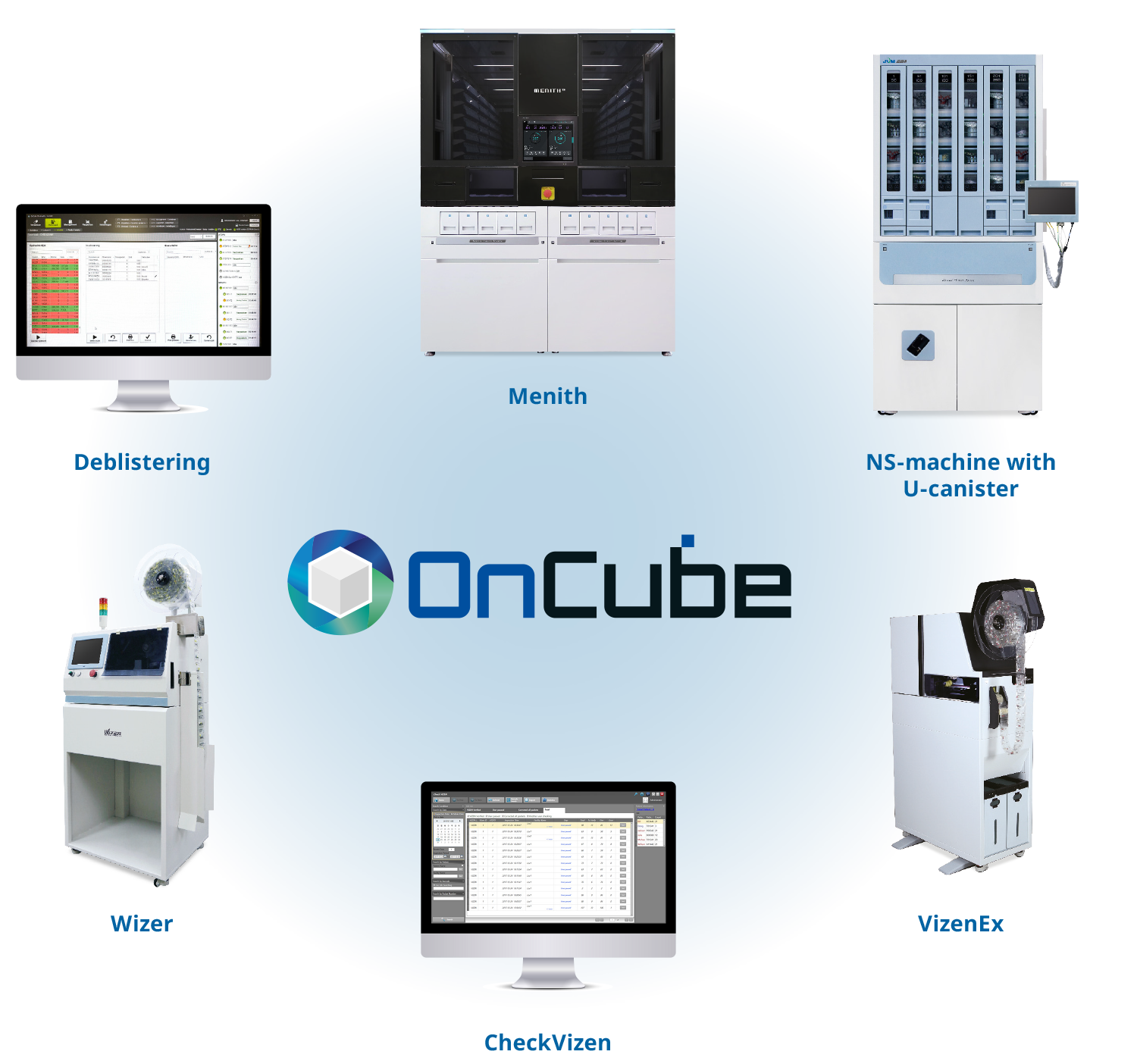
From a central database, it is possible to control the packaging machines as well as other optional devices, such as the VIZEN, the WIZER and the STS. More information can be found here. Applying a barcode (GS1 can be used) makes it possible to provide unique identification for every sachet. OnCube is GaMP certified.
Real-time monitoring
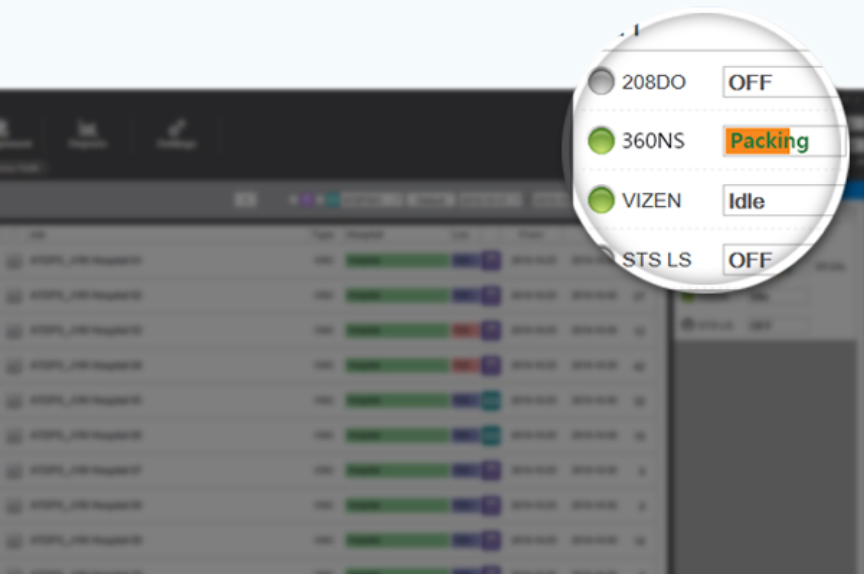
This software offers a real-time monitoring of the status of the connected machine and dispensing progress, and the job history by machine is saved for the user to track it at any time.
Easy and convenient dispensing & packaging
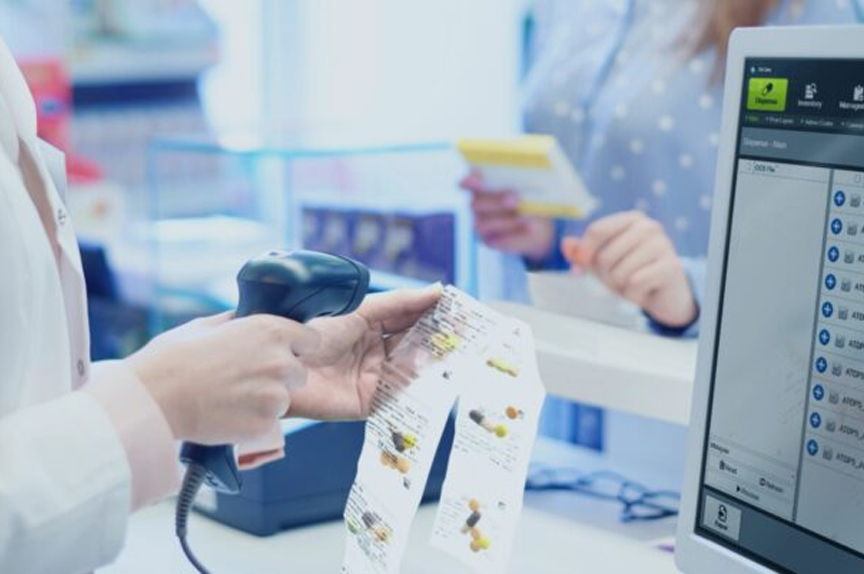
It can be connected with OCS or computer system at the hospital or pharmacy to perform dispensing & packaging 1) by using the prescription details shared in real time or 2) through the application with the user-defined data.
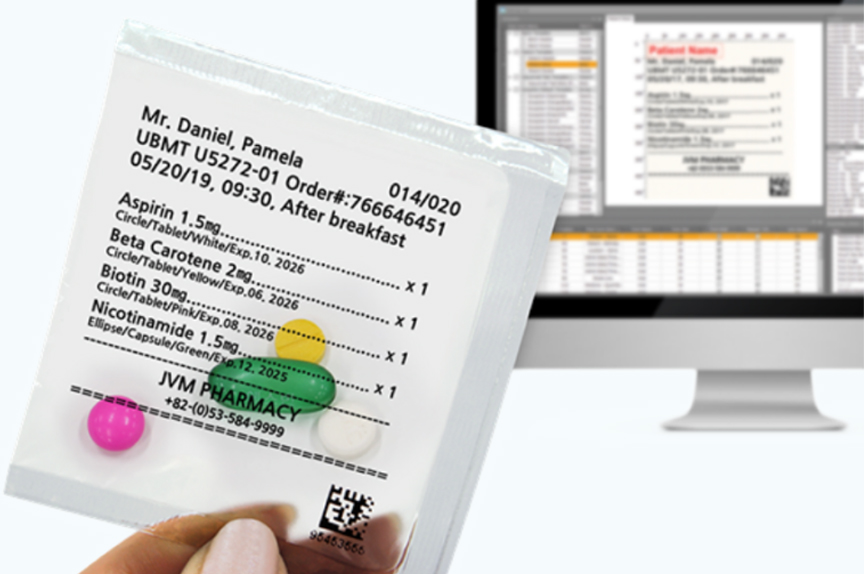
Easy-to-set print layout
You can customize information to print on the pouch including medicine shape, color, texture, quantity, expiry date of each medicine, and barcode. Also, it allows you to select a language to use and modify the print layout with ease.
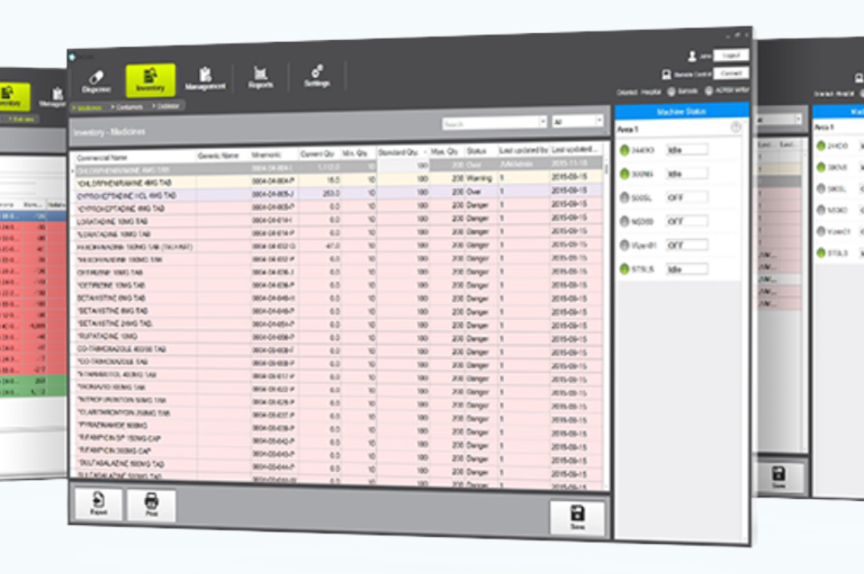
Convenient inventory control
You can search inventory status of any medicine registered in the database with a choice of search conditions. Also, the use of barcode and electronic scale helps to enter the details and quantity of a medicine that needs refilling.
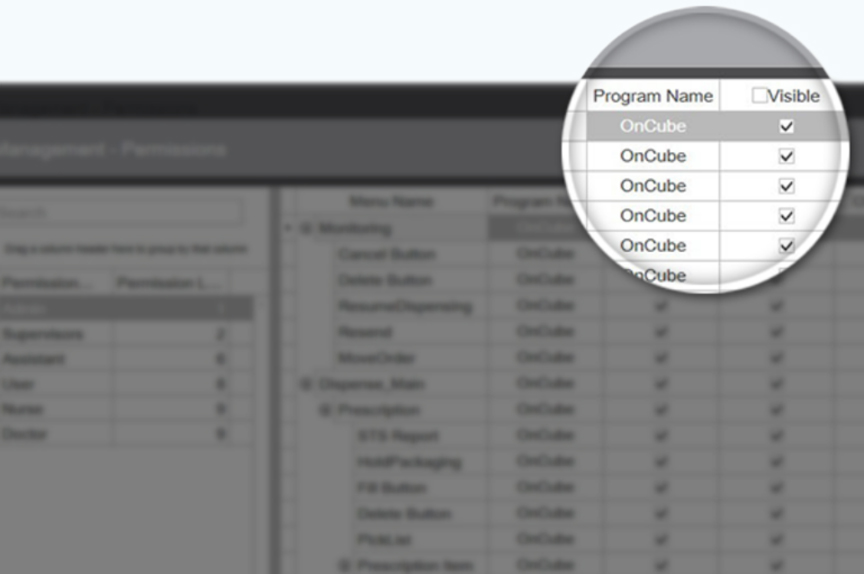
Secure access control
Administrator can assign a different level of permission to each user for secure data control.
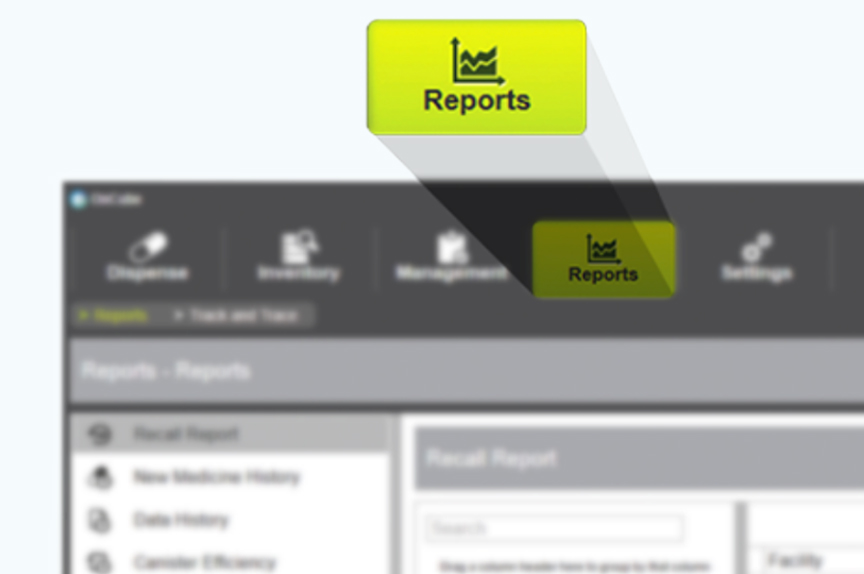
Various output reports
This software offers various output reports whose format can be customized as necessary.
OnCube: a future proof solution
We are committed to continuously improving the workflows that support your pharmacy and patient care. As of January 2027, APMC software will no longer receive updates. JVM offers a complimentary upgrade to OnCube—our future-proof platform—and our dedicated transition team will ensure a smooth, seamless migration.

Both systems control JVM packaging machines and connect to your pharmacy information system. OnCube is the newer platform – it adds production flexibility, richer safety features, deeper Vizen® integration and broader device support. APMC remains a stable legacy option but lacks many of the modern workflow and traceability features pharmacists rely on today.
Download this comparison
Medication Management
| Feature | OnCube | APMC |
|---|---|---|
|
De-blistering
|
Dedicated software module supports de-blistering of whole, half, third or quarter tablets. De-blistered tablets can be provided via STS or filled into canisters with their own barcode. |
Not available. |
|
Consumption
calculation |
Calculates the number of tablets to be de-blistered based on actual usage over a user-defined period (days, weeks or months). |
Not available. |
|
Machine-specific
canister assignment |
Canisters can be assigned to a specific machine group, so orders are produced optimally. |
Not available. |
|
QR / Data-Matrix
support |
Reads QR and Data-Matrix codes – all required information is taken automatically from the code. |
Barcode only. |
|
Vizen®
integration |
Tablet images visible in the Medications menu; bag images in Track & Trace; integrated into STS and machines for safer canister and STS filling. Works with Check Vizen®. |
Tablet images only partially visible. Works with Vizen Viewer®. |
Order Management
| Feature | OnCube | APMC |
|---|---|---|
|
Cancelling orders
during production |
Orders can be cancelled during production with no data loss. Each order/patient can be re-sent to any machine or cancelled. |
Not possible – a deleted order must be re-sent entirely. Stock levels must be considered manually. |
|
Order transparency
before sending |
Orders are transparent before being sent to the machine. Canister and STS patients are color-coded; production days are color-distinguished. |
Not available – relies on operator experience. |
|
Pre-storage
of orders |
Multiple orders can be loaded for later production. |
Only one order can be processed at a time. |
|
Order
processing |
OCS file can be stored in OnCube and an order can be produced more than once. |
Must be decided in advance whether an order runs on one or several machines. |
|
Re-assigning
orders |
If production is blocked (e.g. an empty canister), orders can be re-assigned patient by patient to another machine. |
Order must be cancelled and the OCS file re-imported. |
|
Reproduction
of bags |
Single bags or entire bag strings can be reproduced on demand. |
Not possible – only by re-sending / re-creating the blister. |
|
Machine group
definition |
Yes – canisters can be assigned to a group of machines or to all machines to optimize production. |
Not available. |
|
Multi-language
bag printing |
Language can be set per organizational unit (hospital, nursing home, ward), including medication name and additional info (day, color, shape, etc.). |
Not available. |
|
Reverse production
order |
Available per organizational unit. |
Not available. |
|
Print layout
changes |
Changes are applied to a single line of medication information and automatically adopted for all other lines; the print can also be rotated 90,180 and 270 degrees. |
Possible, but requires technical expertise. |
|
Automatic order
processing |
All calculations are performed by OnCube before production starts – significantly more efficient. |
Calculations performed by the packaging machine(s) together with APMC Calculation. |
|
Cut
function |
When CUT is pressed during a running production, the current patient is finished first, then the bag is cut. A code is printed for visual control. |
Cuts immediately, even if the patient is not yet fully produced. |
Production Support
| Feature | OnCube | APMC |
|---|---|---|
|
Refill
workflow |
Slides move out automatically with an audible signal to the canister to be filled. Detailed refill view shows remaining quantity, photo and slot – across multiple machines. |
Doors and slides must be opened manually – heavier and risk of medications falling. Refill view lacks quantity detail. |
|
Canister status
& control |
Preview buttons for Refill, Error cartridge, Precheck and U-canister; foil quantity shown via traffic-light system. Deactivated canisters are shown and can be reactivated; everything is documented. |
Only Precheck available. Deactivate command not always present; deactivated canisters are not shown or documented and remain deactivated only for that single order. |
|
Patient & medication
info on STS |
Detailed information (incl. images) shown during STS filling – fast reaction to stock issues. Pick lists can be printed individually. |
Information only visible after printing. |
|
STS batch
change |
Batch change possible per cell. |
Not available. |
|
Article
list |
Clearer and more differentiated article list; easier and faster canister setup. |
Single article list; canister setup more complex. |
|
Next-patient
preview |
Preview of the next patient and home/ward. |
Not available. |
|
Production preparation
lists |
Lists per order can be evaluated at any time. |
Only for entire orders and only when the machine is not producing. |
User Rights & Traceability
| Feature | OnCube | APMC |
|---|---|---|
|
Action-based
authentication |
User rights set per group; each action can be configured as automatic, password-protected, or four-eyes principle. |
User rights set per group; every action requires username/password. |
|
Traceability
of work steps |
Period-based evaluation for one or all users. |
Per user in the User menu. |
Interfaces, Reporting & Supported Devices
| Feature | OnCube | APMC |
|---|---|---|
|
XML file transfer /
Web service access |
Yes / Yes. |
Yes / Yes. |
|
Reports
|
Fast built-in evaluations covering virtually all needs. |
Reports generated via standard Microsoft programs. |
|
Supported
device series |
ACRS, ACRS2, ACRS3, BOX, SLIDE, DEN, DESK, DOB, DOOR, MENITH, NS(P) & future series. |
ACRS, ACRS2, BOX, C30 (legacy), DESK, DOOR & SLIDE. |
Note:
Legacy JVM software (APMC) will no longer be supported after January 2027.
Our dedicated JVM transition team offers full support and guidance for a smooth migration to OnCube.
Download this comparison
Webinars
As APMC support will officially end at the end of this year, now is the right time to prepare your pharmacy for the future. We warmly invite you to join our exclusive live webinar:
Webinar dates
will follow soon
Notify me when details are available
By submitting this form, I consent to the processing of my personal data for the purpose of handling my request.
What can you expect?
✔ Why the transition from APMC to OnCube matters now
✔ A live demonstration of the new OnCube platform
✔ Best practices from experienced users and industry experts
✔ Practical insights into migration, onboarding, and support
✔ Improved workflow efficiency and medication management
✔ Enhanced patient safety, traceability, and compliance
✔ Interactive Q&A session
Materials
Downloadable resources about OnCube Management, the all-in-one solution for dispensing, packaging, and medication management.
Download OnCube leaflet
Customer References
This is exiting software. With this dispensing, packaging and medication management we are saving 3 hours per day!
